
Managing data and airtime distribution for a corporate team, a church group, or a massive list of reselling clients used to be a complete logistics nightmare. Spending hours typing numbers one by one into a VTU app is not only exhausting, but it also opens the door to costly mistakes and wrong digits. If you run a business or a busy VTU agency, your time is literally money, and you cannot afford to waste half your day sending individual 1GB bundles to dozens of workers or field agents.
You need a fast, automated, and completely bulletproof way to get the job done at the lowest possible cost. That is exactly why we built the brand-new Bulk Purchase feature on Pairgate. Whether you want to award promotional data to your loyal customers, settle staff airtime allowances, or fulfill bulk orders as a commercial reseller, you can now send bulk airtime and data to up to 100 contacts at the exact same time.
Our system automatically filters out duplicate or invalid phone numbers during setup, ensuring that every single Kobo in your wallet is fully accounted for. It is super easy, lightning-fast, and designed to bring more sales to resellers while saving hours of manual labor for corporate firms. Let’s dive into how this powerful tool works.
Why Use Pairgate's Bulk Purchase Feature?
Before we look at the step-by-step navigation, here is how this powerful corporate tool elevates your business operations:
Massive Capacity: Dispatch data bundles or airtime packages to groups ranging from a minimum of 5 up to 100 different phone numbers simultaneously (with room to increase limits if needed).
Smart Validation & Filtering: The platform instantly scans your pasted list, cleaning out invalid digits and duplicate numbers so you never pay twice for the same contact.
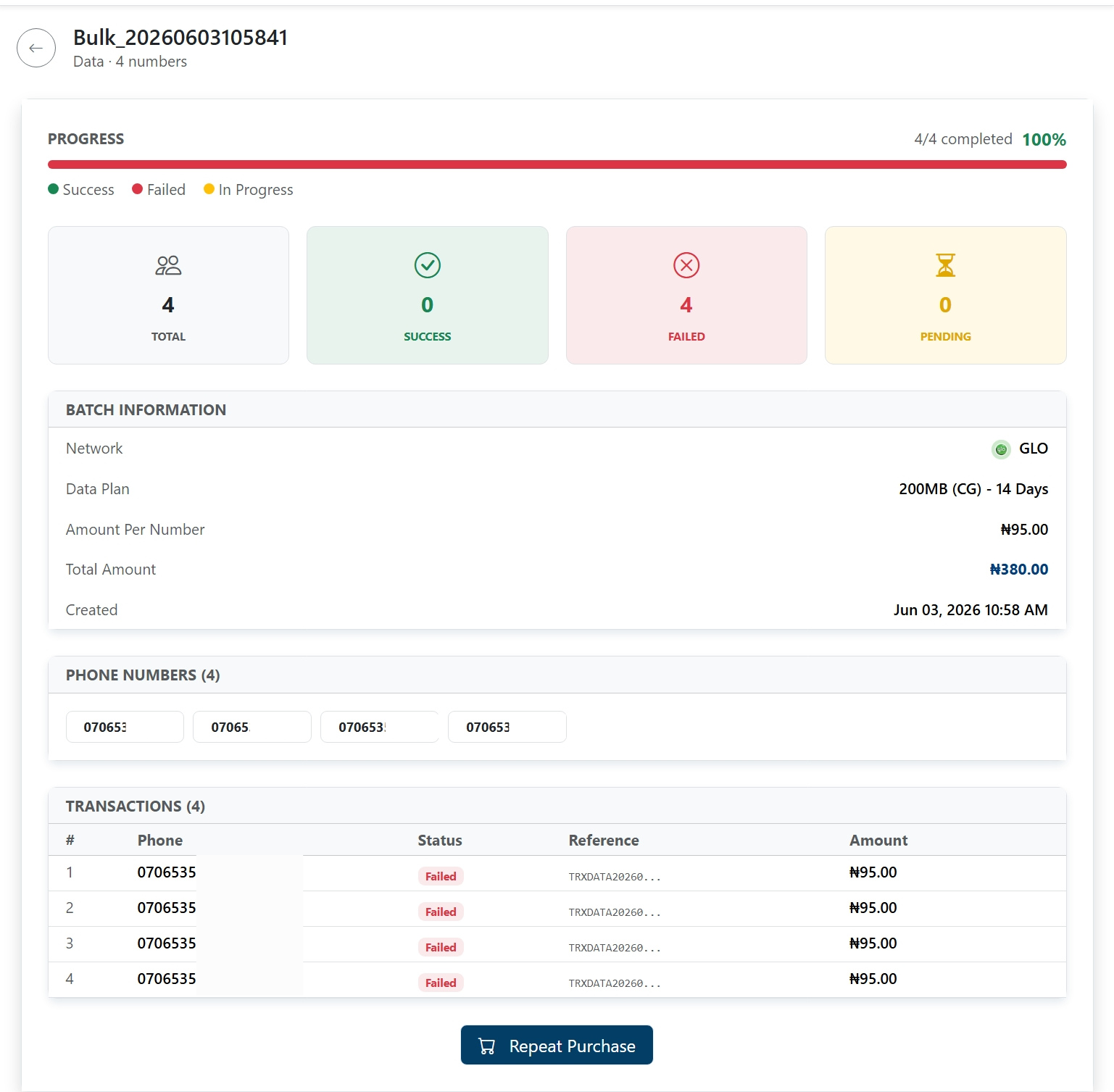
Professional Dashboard Preview: View full, transparent statistics for every batch, including real-time breakdowns of successful, pending, or failed numbers so all funds are tracked.
Saved Groups: Organize your frequent teams, staff members, or top clients into dedicated groups for seamless, one-click future sending.
Step by Step: How to Send Bulk Airtime and Data on Pairgate
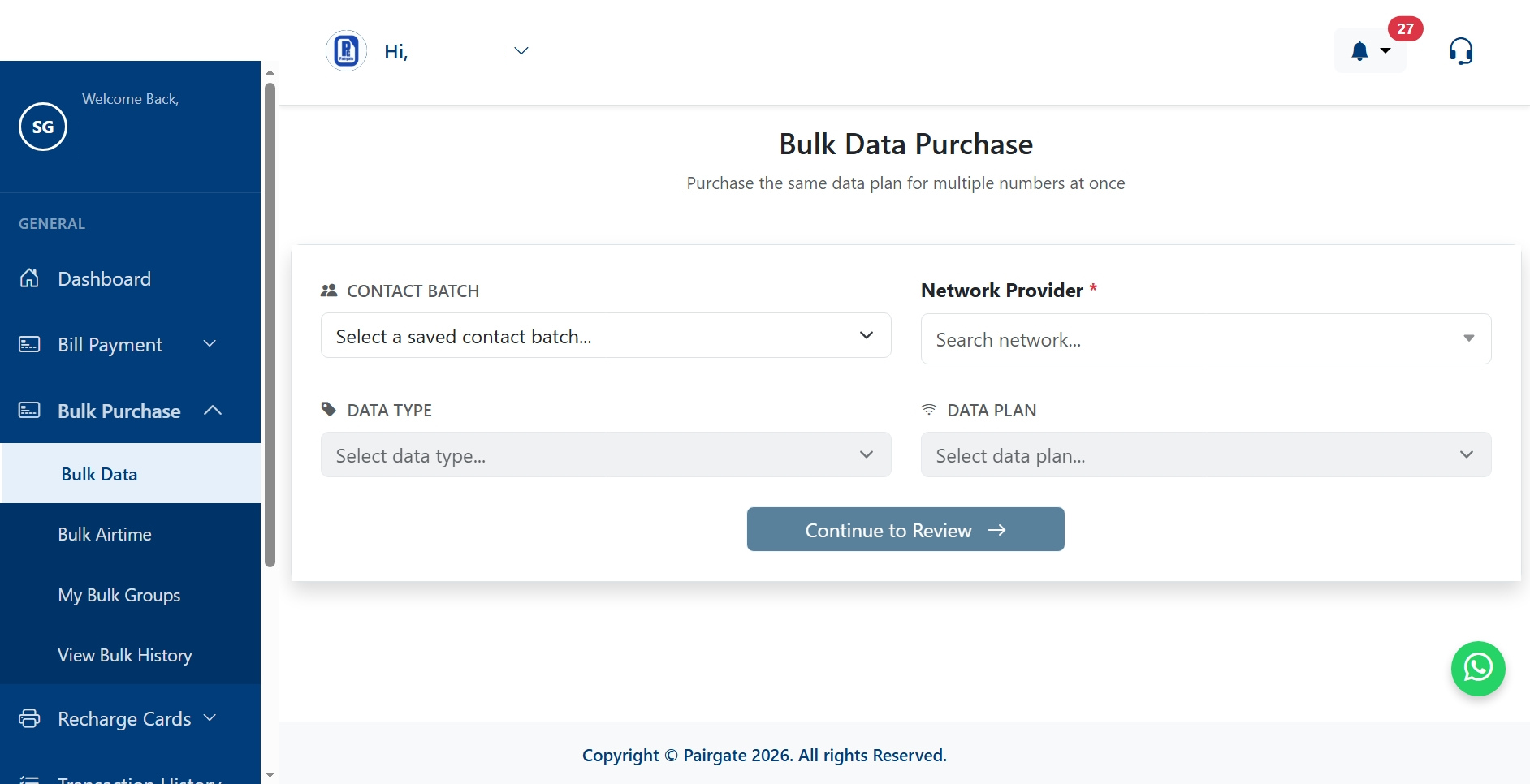
Step 1: Navigate to the Bulk Purchase Menu
Log into your account dashboard at
Step 2: Create and Name Your Contact Group
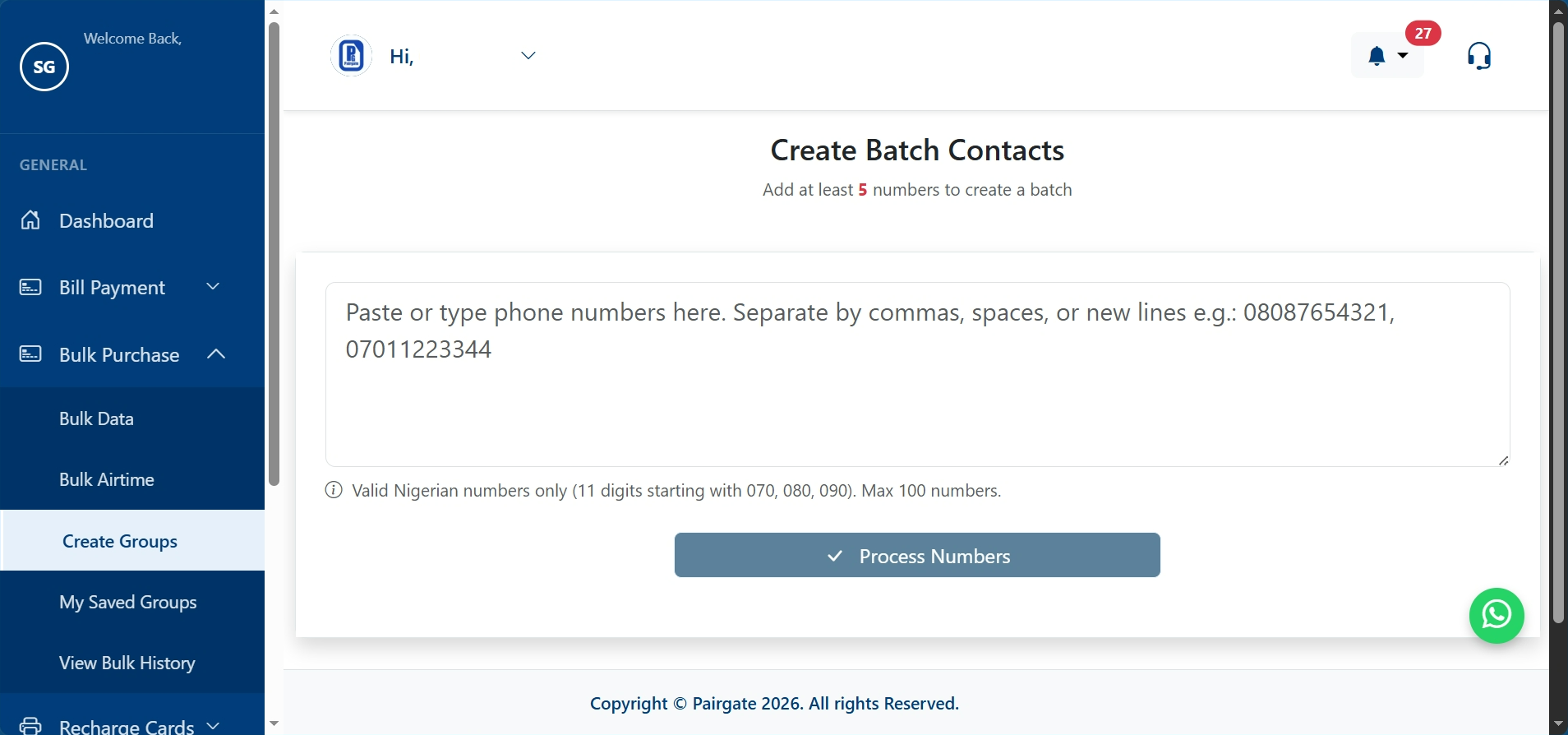
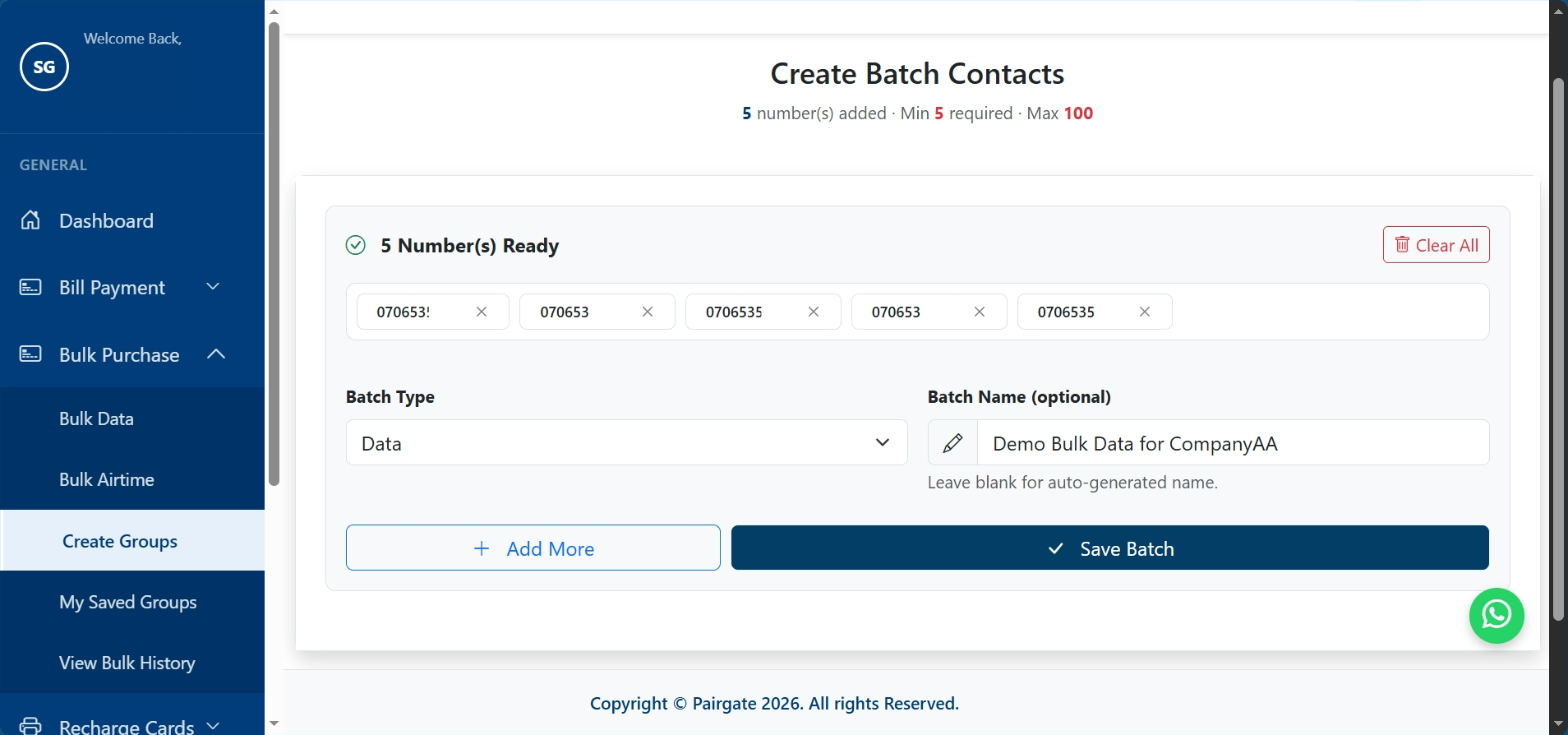
Before making a purchase, you need to set up your contact list by clicking on Create Groups inside the drop-down menu. Give your group a professional name (e.g., "Sales Team" or "Promo Winners") and paste your list of numbers into the provided text area. Pairgate will instantly filter out duplicate or invalid numbers before you save.
💡 Pro Tip: You can add anywhere from a minimum of 5 numbers up to 100 numbers per group. If your business needs to distribute to even larger lists, simply contact Pairgate support to have your group limit increased!
Step 3: Choose Your Service Type
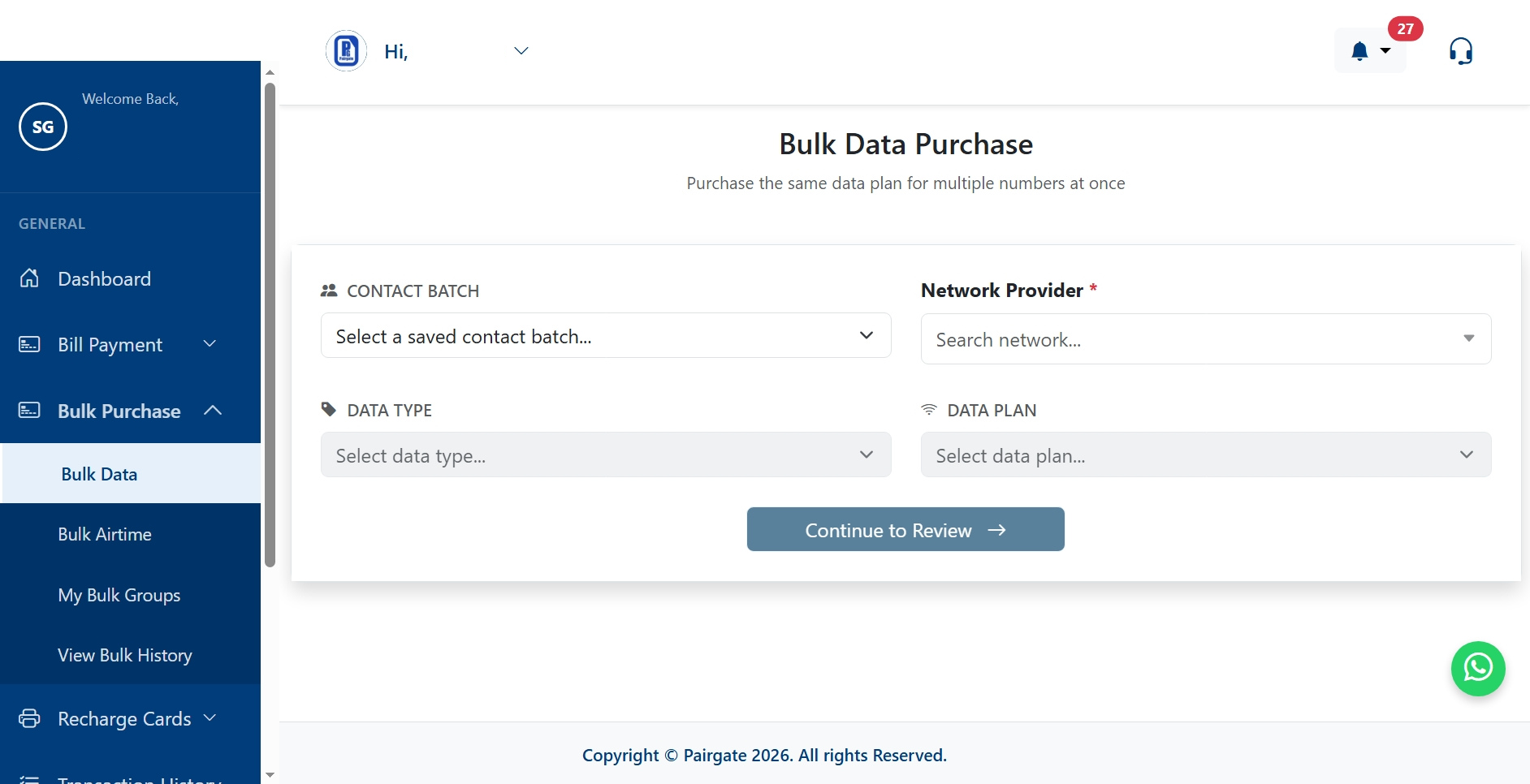
Once your group is successfully saved, head over to the purchase page by selecting either Bulk Airtime or Bulk Data from the list under the Bulk Purchase drop-down menu. This page is streamlined and straightforward, built to get your transaction moving in seconds.
Step 4: Select Your Saved Group and Package
On the purchase page, you do not need to paste any numbers. Simply tap the dropdown list, select the custom group you created in Step 2, and choose your network provider along with your preferred data or airtime package. Check the competitive pricing on our
Step 5: Preview, Confirm, and Track Your Batch
Review the professional preview screen to check your batch transaction stats before final deduction. Once you authorize the payment, head over to the History tab under Bulk Purchase to see a clean, professional breakdown of successful, pending, or failed contacts individually so all your funds are accounted for.
Related Tutorials
How to Start a Data Reselling Business in Nigeria 2026: The Pairgate Business Blueprint Cheapest Data in Nigeria 2026: Save 15% on MTN, Glo, Airtel, and 9mobile
Land Massive Corporate Contracts as a Pairgate Reseller
This Bulk Purchase update is a massive goldmine for smart entrepreneurs. Armed with this feature, you can boldly pitch your services to local logistics firms, schools, and corporate groups to handle their monthly employee airtime and data allowances. You collect the total cash upfront from them, execute the distribution on Pairgate in seconds using our heavily discounted rates, and pocket the massive profit margins without breaking a sweat.
Ready to automate your team management and scale your VTU business revenues to the next level?
Frequently Asked Questions (FAQs)
Can I mix different networks (like MTN and Airtel) inside a single bulk purchase group?
No, to guarantee maximum processing speed and avoid network delivery errors, each bulk transaction group must contain numbers belonging to the same network provider. If you want to send to multiple networks, simply create separate saved groups for each provider and run a quick batch for each one.
What happens to my money if one out of fifty phone numbers fails to deliver?
Every single Kobo you spend is fully protected and accounted for on our platform. Our professional preview and history dashboards track every number individually, and if a specific line fails due to a network routing problem, the funds for that number are automatically reversed back into your wallet balance instantly.
Is there a limit to how many groups I can save in my Pairgate dashboard?
There is absolutely no limit to the number of customized delivery groups you can save in your dashboard. You can create different custom groups for your staff members, promotional raffle winners, or recurring monthly clients to make your bulk distribution fast and seamless.