
In the fast-paced world of 2026, waiting for data or airtime shouldn't take all day. At Pairgate, we’ve built a powerhouse system with a 99.9% success rate. Most times, your transactions are instant, and if they fail, the system triggers an automatic refund immediately. However, technology isn't perfect, especially when dealing with Nigerian telecom network glitches or server overloads.
Sometimes, a transaction might show "Successful" on your dashboard, but you haven't received the value on your phone. This usually happens when there is a communication break between our system and the network provider (MTN, Glo, Airtel, or 9mobile).
If you find yourself in this situation, don't worry, your money is 100% safe. This guide will show you exactly how to report Pairgate transactions using our automated support system to get human attention and a resolution within minutes.
Step 1: Verify Your Delivery
Before reporting, always check your actual balance (e.g., *310# or *323#) to confirm the value wasn't delivered. Sometimes network SMS alerts are delayed even when the data has landed. If you've confirmed no delivery, proceed to your dashboard.
Step 2: Locate the Transaction in Your History
Login to your Pairgate account and go to your transaction logs. Find the specific transaction that has issues by searching either recipiant phone number, id or sorting by transaction type or status and click to open the digital receipt.
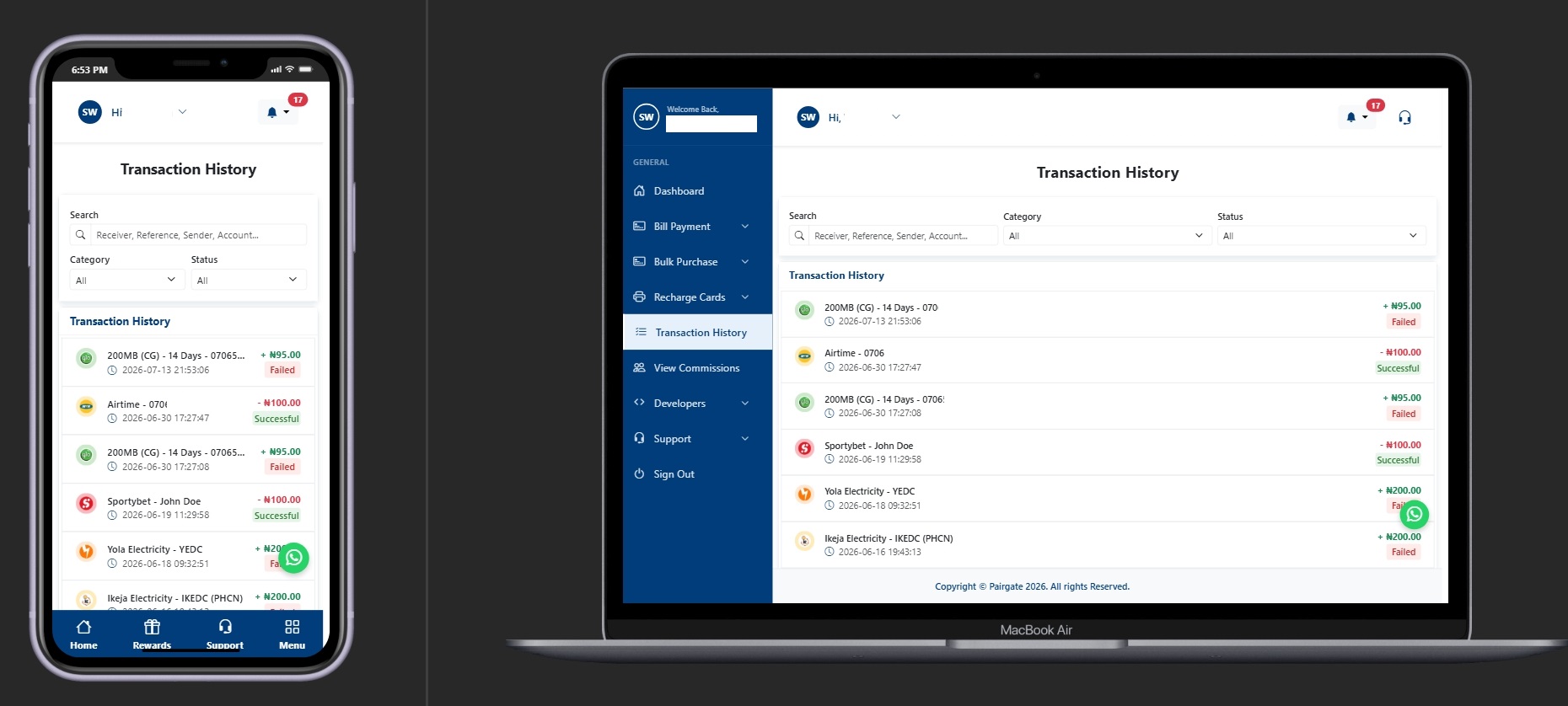
Step 3: Use the "Report Transaction" Button
Scroll to the bottom of the receipt. You will see a button labeled "Report Transaction". Click it, enter a brief description of the issue (e.g., "Debited but no data received"), and submit.
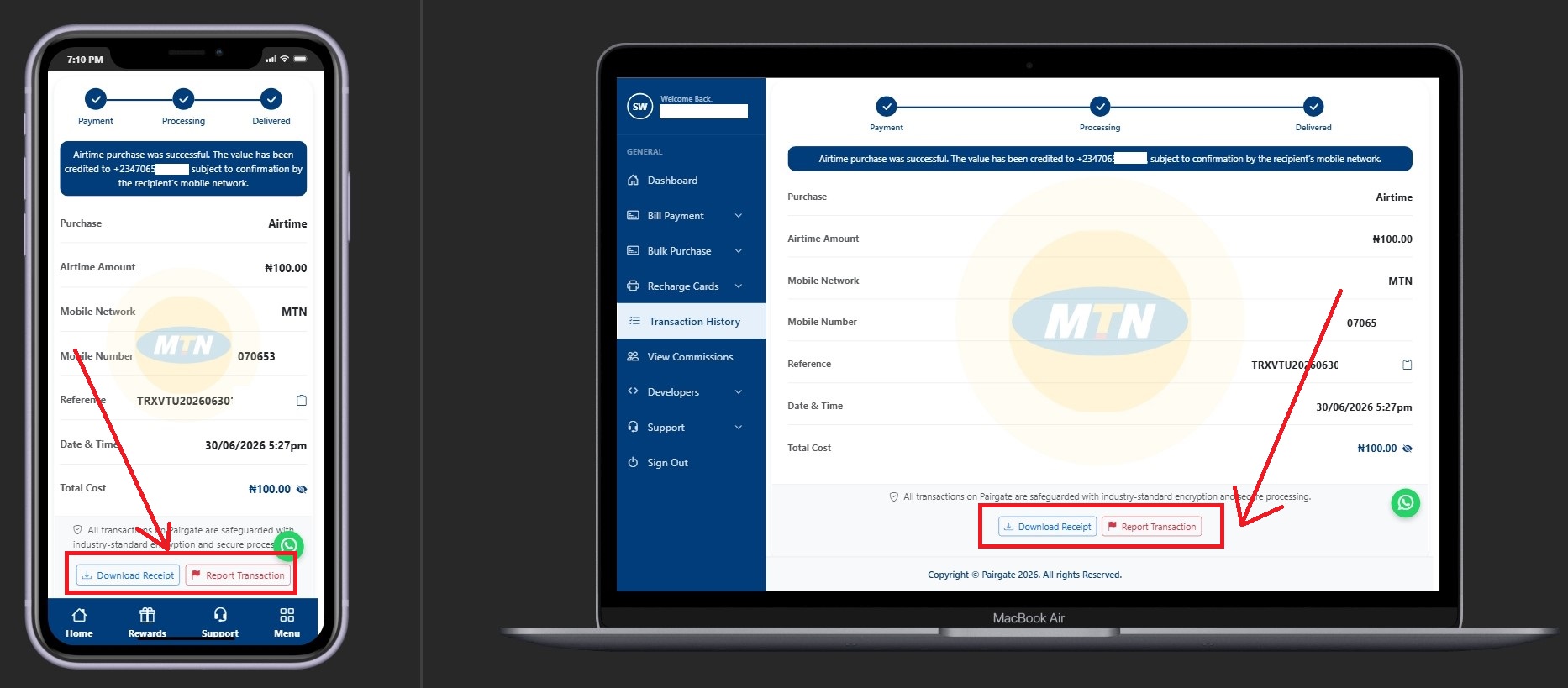
Note: Please on the support Page, always remember to escalate the issue. A non escalated report may not receive attention.
You will always receive a notification on every reply made by our support agent on the ticket. That means, you are always on the know of any progress.
Step 4: Swift Investigation
Once submitted, our technical team receives an instant alert. We investigate the logs with the service provider to see where the "hang" occurred. We will then manually push the transaction through or refund your Pairgate wallet.
Pro Tip: Always include your transaction ID if you are reaching out via WhatsApp. This helps our agents find your account in seconds without asking too many questions!
Join the Most Reliable VTU Platform
Don't let network issues stress you out. With Pairgate, you have a partner that listens and resolves issues faster than anyone else.